Plot inventory software for property dealers
Keep every plot, kothi and shop in one register, in the units you talk in: gaj, sq ft, marla or kanal.
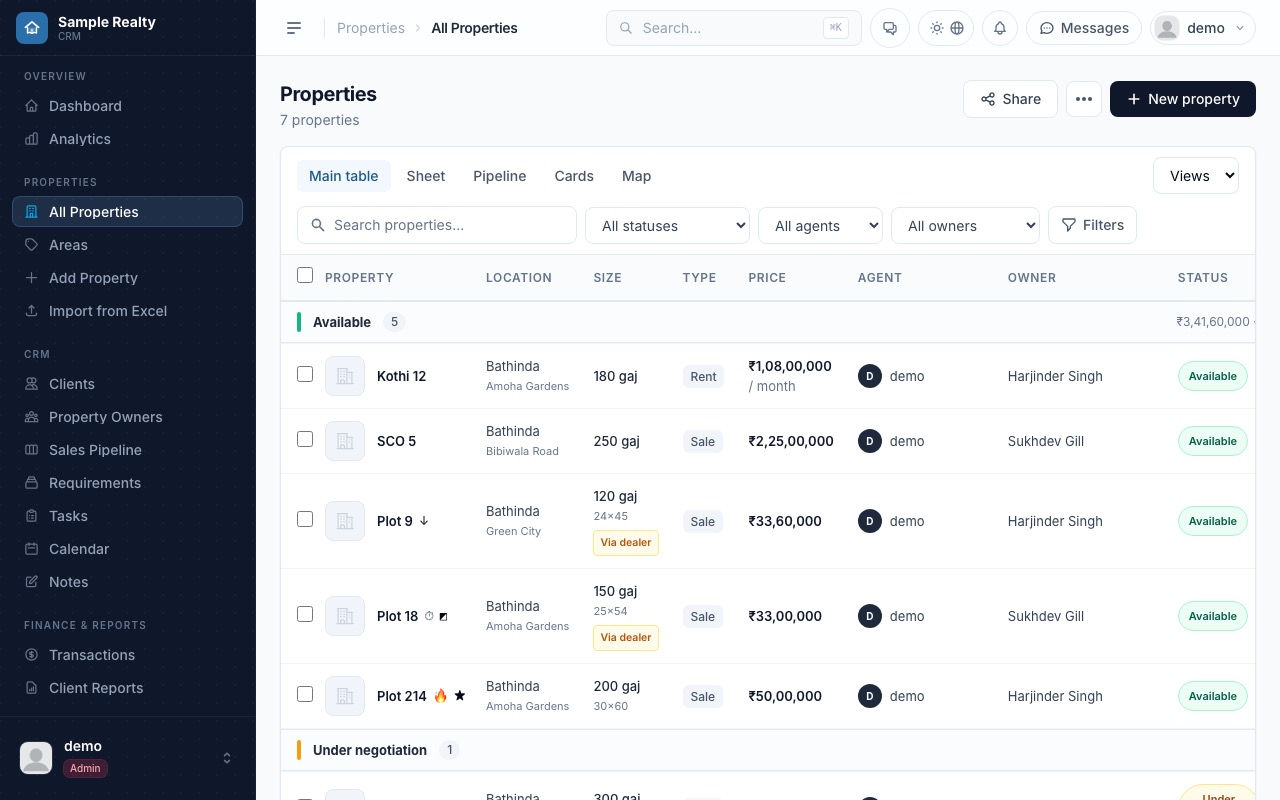
Sizes and prices the way dealers quote them
Enter plot size in gaj, sq ft, marla or kanal, and the rate per gaj and the total price stay in step: change one and the other follows. Each property also keeps its plot number and dimensions, such as 30 by 60.
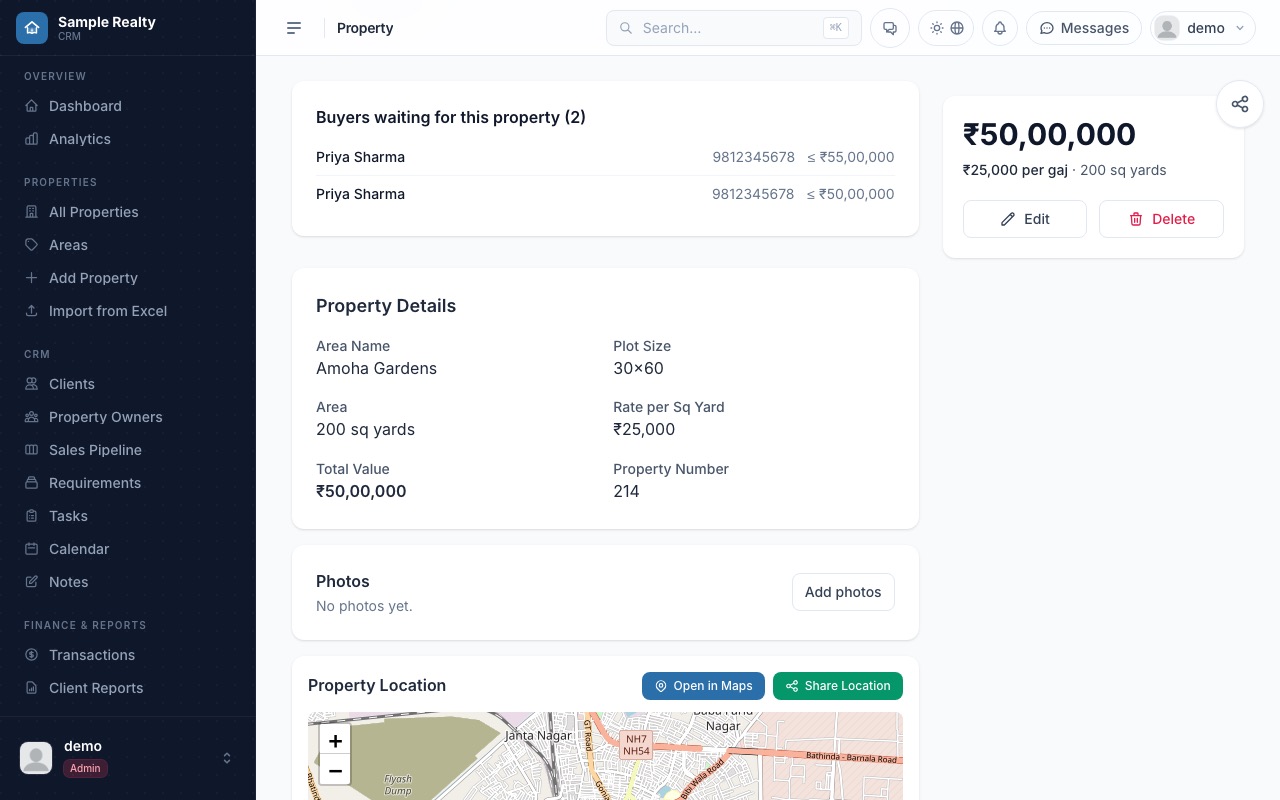
Areas and map pins
Group properties by area or colony, and pin each one on a map so you can find it again and share its location.
Flags that show what needs attention
Mark a property as one or more of these, and filter on them:
- Hot
- Urgent
- Exclusive
- Corner
- Price drop
- Featured
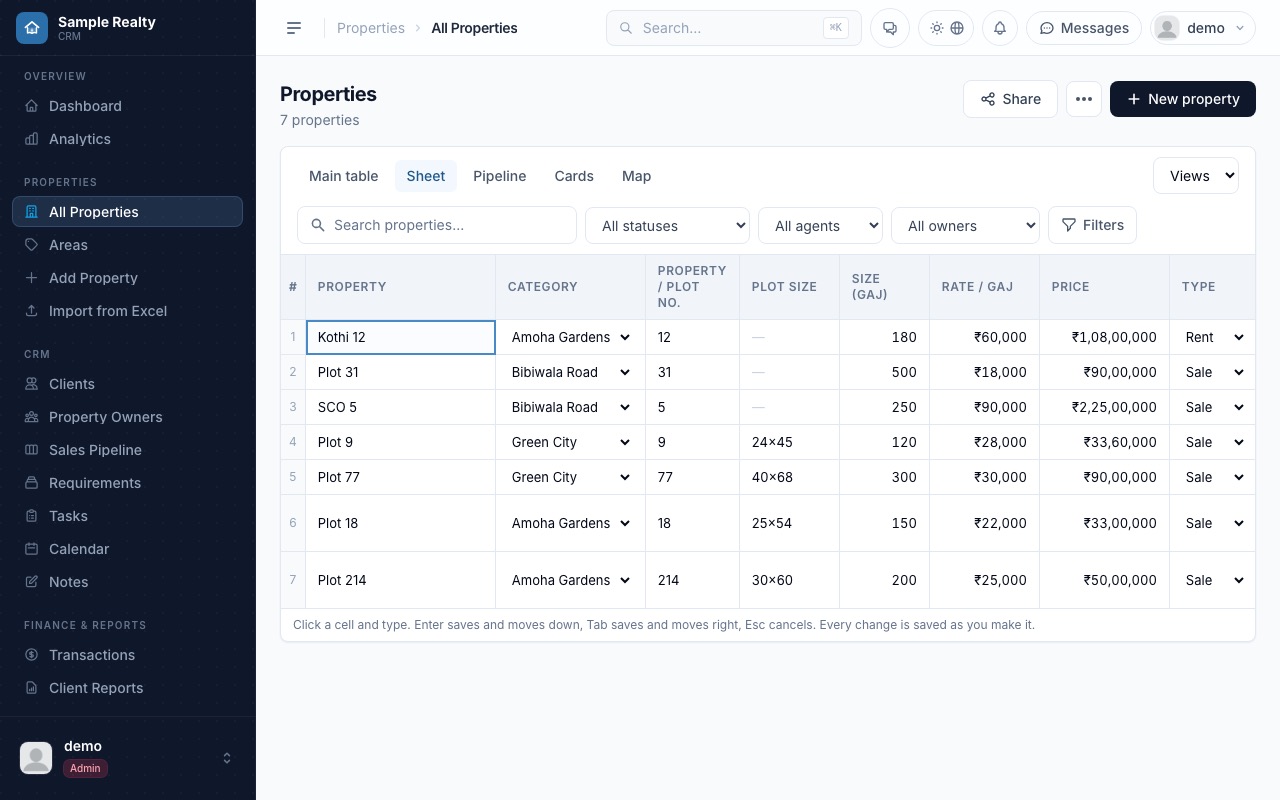
A sheet view you can edit in place
Switch to the Sheet view for an Excel-style grid. Click a cell and type; Enter saves and moves down, Tab saves and moves right, and every change is saved as you make it.
Filters, import and paperwork
- Multi-select filters for area, size, rate and dealer, and for properties added in the last N days
- Import your existing stock from Excel, with column mapping
- Documents per property, such as RERA certificates and approvals
- Photos and voice notes on each property
Frequently asked questions
Which area units does Real Vista support?
Gaj, sq ft, marla and kanal, among others.
Can I bring my existing property list?
Yes. Import an Excel or CSV file and map your columns to property fields.
Can I edit many properties quickly?
Yes. The Sheet view works like a spreadsheet: click a cell, type, and the change is saved.
Can I store RERA papers with a property?
Yes. Documents are stored per property, including RERA certificates and approvals.
Want to see it on your own leads and plots? We will walk you through it in a short demo.
More from Real Vista: Lead capture and follow-ups · Buyer matching and dealers · CRM for property dealers · CRM for property dealers in Bathinda · Gaj, marla and kanal calculator · Move your Excel property list into a CRM · Share properties with buyers safely · Pricing